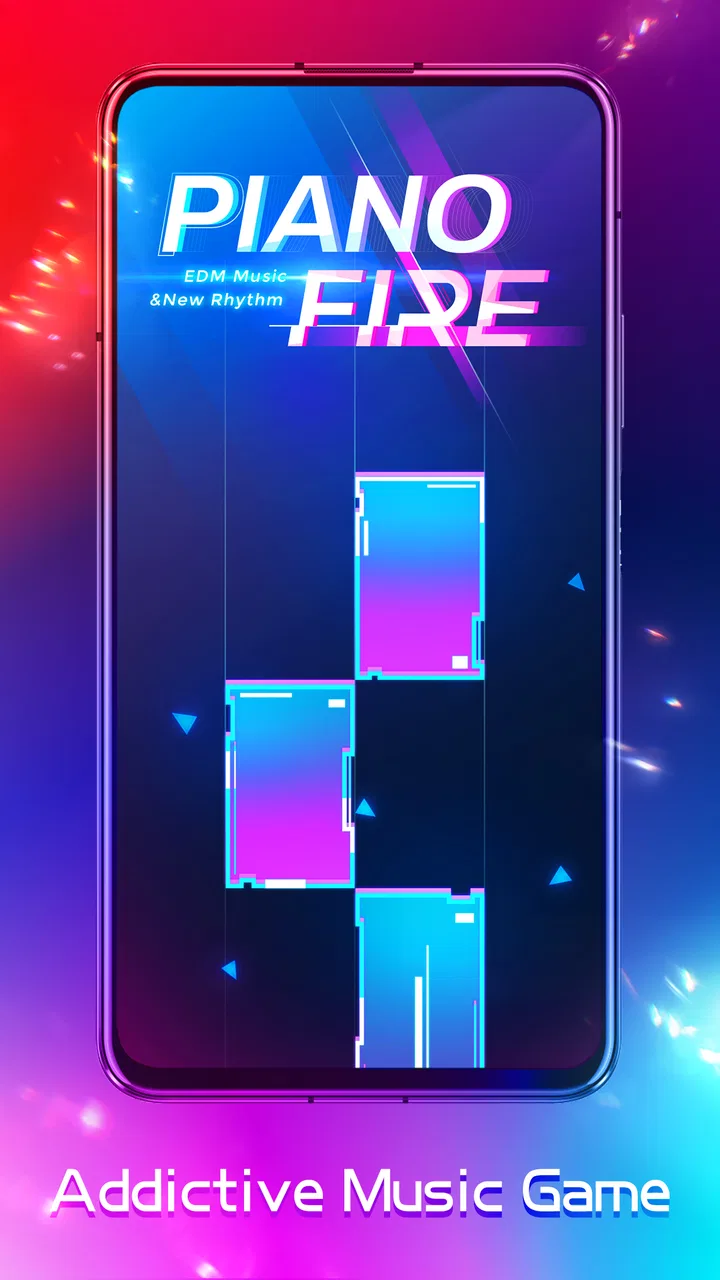
Piano Fire: Edm Music & Piano
- 4.6
- Rating
- 100.00M
- Installs
- Free
- Price

 Analysis by App-foxy
I approached Piano Fire: Edm Music & Piano as a quick music game rather than a piano-learning tool, and that distinction matters from the first tap. The basic appeal is immediate: listen for the beat, watch the moving play area, and touch the right tiles in time. It is easy to understand, but keeping a clean rhythm becomes surprisingly demanding once the pace rises. I found it most enjoyable in short sessions, when I wanted something musical and focused without committing to a long story, puzzle, or competitive match.
This is a free game in the Music category from Adaric Music, with an average rating of 4.6 from around 725 thousand ratings and more than 100 million installs. Those figures suggest that the format has reached a very broad audience, but popularity alone does not tell you whether it fits your habits. In my experience, the important question is whether you enjoy repeating a song or pattern to improve timing. If you do, the simple controls can keep you busy for much longer than the first few rounds suggest.
What the first few minutes are really like
The opening experience is built around recognition rather than explanation. You do not need to learn a complicated control scheme, and the game’s music-led presentation makes the objective fairly clear. Tiles appear in relation to the track, so your attention moves between what you hear and what you see. A successful tap feels satisfying because it confirms both reactions at once: you noticed the incoming tile and placed your finger at the right moment.
You May Also Like

 AccuWeather: Weather Radar
AccuWeather Review: A Quick, Clear Forecast for Everyday Decisions
For everyday plans, the best forecast is the one you can understand quickly. AccuWeather makes rain timing, radar, and local conditions easy to act on, with a few trade-offs.

 Hill Climb Racing
Why Hill Climb Racing Still Turns Crashes Into One More Run
A tiny car, a bumpy hill and one more upgrade: Hill Climb Racing keeps resurfacing because its simple chaos makes every near-miss feel personal.

 AliExpress - Shopping App
AliExpress Makes Global Shopping Feel Personal, but Shoppers Bear the Risk
AliExpress turns a global marketplace into a pocket-sized discovery engine. Its reach is useful, its shopping loop compelling, and its trade-offs easy to miss.

 Lords Mobile: Kingdom Wars
Lords Mobile Is a Kingdom-Building Routine, Not a Quick Match
A case-by-case verdict on the building, battles, device demands, and social commitments that make Lords Mobile rewarding for some players and exhausting for others.

 PDF Scanner app - TapScanner
TapScanner Makes Paperwork Easier to Capture, Check, and Share
TapScanner makes scanning with a phone feel less like a rescue operation and more like a dependable step in getting work done. Its capture tools are useful, though not flawless.

 Block Blast!
 Shows How Much a Puzzle Game Can Leave Out
A quiet grid game shows why puzzle players increasingly value instant clarity, repeatable skill and low-pressure play—and where the genre still needs to catch up.
More From Our News Desk
View All News


That simplicity is also the main source of difficulty. There is no comfortable way to play while barely looking at the screen. Even when the music feels familiar, visual timing still matters, and a small lapse in concentration can break a run. I quickly learned that casual tapping without listening was less reliable than using the soundtrack as a guide. The best results came when I treated the screen and the audio as equal parts of one signal.
The game’s “piano” identity should therefore be understood in an arcade sense. It gives you the feeling of performing along with music, but it does not replace a keyboard, teach note names, or explain musical theory. Someone looking for structured practice, finger exercises, or a lesson plan should choose a dedicated piano-learning app instead. Someone wanting a responsive rhythm challenge can start playing almost immediately.
A realistic use case is a short break between tasks. I can imagine opening it while waiting for a bus, taking a few attempts during a lunch break, or playing briefly before bed when I want something more active than scrolling. The rounds are suited to repeated tries, and the low learning barrier means I do not need to remember a complicated system after leaving the game for a day.
Installing it without overthinking the choice
The game is free to install, while in-app purchases range from $0.99 to $9.99 per item. For a first-time player, I would begin without buying anything. The central test is whether the music-and-timing loop feels enjoyable after several attempts, not whether extra spending makes the first session more exciting. A free starting point makes that decision easy, especially if you are unsure whether rhythm games hold your attention.
It is intended for a Teen audience, so I would not automatically hand it to a very young child simply because the controls look simple. The age label is a useful reminder that the presentation and content should be considered alongside the difficulty. Parents may also want to check the purchase settings on the device before letting a child play, particularly because optional items can be bought individually.
The listed minimum operating system is Android 6.0, which covers many older Android devices. On a compatible phone, I would still close demanding background apps before playing if the screen feels slow or the audio seems out of step. Rhythm games are especially sensitive to timing problems: a small delay can feel like a mistake even when your finger moved correctly. That is not a skill issue, so it is worth checking the device before judging your performance.
The current version is 1.0.235. I would keep the installation updated through the normal store process, especially if the game behaves differently from the experience described here. Version changes can affect menus, song availability, timing, or the way purchases are presented, so a current installation is the sensible starting point for troubleshooting.
How I reached the first meaningful success
My advice for the first attempt is to avoid chasing speed. I focused on making a clean sequence of taps rather than trying to react to every tile at the last possible instant. That approach gave me a better sense of the game’s timing window and made the music easier to follow. The first satisfying milestone was not merely surviving a track; it was recognizing a repeating rhythm and responding before panic took over.
Use your eyes to locate the next tile, but let your ears help decide when to touch it. This is a practical improvement that is easy to miss. If you stare only at the lower part of the screen, you may react late. If you listen only to the beat, you can lose track of where the next target appears. Splitting attention between both cues makes the game feel less random and gives you a repeatable method for improving.
I also recommend holding the phone in a stable position instead of changing grip during a run. A loose grip can make a perfectly timed tap land off-center, particularly when the pattern becomes faster. Resting the device lightly in one hand and using one finger from the other hand worked better for me than trying to play while walking. The game is portable, but portability does not mean every environment is equally suitable for precise rhythm play.
When a track goes wrong, restarting immediately is not always the best response. I found it more useful to identify the exact moment where I lost the beat. Was I watching the wrong area? Did I rush because the pattern looked faster? Did the audio feel delayed? Answering that question turns a failed attempt into a small practice session. This is one of the game’s less obvious strengths: its minimal controls make mistakes easy to diagnose when you pay attention.
Confusion that can make the game feel harder than it is
New players may assume that every missed tile means they lack musical ability. I would not read it that way. The game combines reaction speed, visual tracking, finger placement, and audio timing. A person with no piano background can do well, while an experienced musician may still struggle if the screen timing does not match their expectations. The challenge is coordination, not a test of whether you can play a real instrument.
Another common misunderstanding is expecting the music to carry the entire experience. The soundtrack is important, but the visual sequence remains essential. Some sections may feel natural when you listen, yet the correct response still depends on seeing the tile’s position and movement. I improved more by lowering my urge to predict everything from the melody and instead treating the audio as support for visual information.
It is also easy to confuse repetition with failure. A rhythm game often asks you to replay the same material until your hands stop hesitating. If you dislike repeating a short section, this may feel frustrating rather than rewarding. I would skip this game if I wanted constant novelty, a narrative campaign, or a relaxed music player with no pressure. The appeal is strongest for players who enjoy turning a near-success into a cleaner attempt.
Touch accuracy deserves attention too. Playing with a fingertip that covers too much of the screen can make the next target harder to see. I had better control when I used a light, deliberate tap and lifted my finger quickly. That small change reduced accidental visual obstruction and helped me prepare for the following tile. It is a simple technique, but it makes a noticeable difference once the sequence becomes dense.
Sound is another practical consideration. Playing silently removes one of the most useful timing cues, so I would use audio whenever possible. If headphones make the beat feel late, try the device speaker before assuming the pattern is impossible. Different listening setups can change how connected the tap feels to the music. For a game built around synchronization, that connection is more important than having the loudest or most impressive sound.
How to decide whether it belongs on your phone
Compared with a traditional piano-learning app, this game is much faster to start and far less educational. You will not build a lesson routine or learn to read music through it. Compared with a general music game, its focus on tapping along with piano-styled tracks gives each attempt a more direct physical connection to the soundtrack. Compared with a larger rhythm game built around characters, stories, or collection systems, it feels more immediate and less demanding in terms of long-term management.
That narrow focus is useful. I do not need to remember a complicated roster, plan a team, or understand a long progression system before I can enjoy a round. The trade-off is that players who need deep customization or a strong sense of ongoing adventure may find the experience lightweight. I would choose this over a more elaborate rhythm title when I have only a few minutes, but I would choose a fuller game when I want a longer session with broader goals.
In everyday use, I would treat it as a concentration break rather than background entertainment. Playing while watching another video would defeat the purpose, because the timing requires attention. It can be a good reset after a mentally repetitive task: a few attempts force me to listen, watch, and react instead of passively consuming content. On the other hand, it is not ideal when I am tired, in a noisy place, or using a phone with unreliable touch response.
Players who enjoy chasing personal improvement will get the most from it. A useful routine is to play one familiar track until the opening feels comfortable, then stop before frustration turns the session into random tapping. Returning later with fresh concentration can be more productive than forcing dozens of rushed attempts. This approach also helps reveal whether you genuinely enjoy the game’s loop or are only continuing because you want to clear one difficult sequence.
I would be cautious about purchases until the free experience has answered three practical questions: Do the controls feel responsive on your phone? Does the music keep you interested after the novelty fades? Are you comfortable replaying sections to improve timing? If the answer to any of these is no, spending more is unlikely to fix the underlying mismatch. If the answer is yes, optional items can be considered as a personal entertainment expense rather than a requirement for discovering whether the game works for you.
For a first-time user, the path is reassuringly straightforward: install it on a compatible device, keep the sound available, play with a steady grip, and aim for controlled taps instead of frantic speed. Give yourself several attempts before making a judgement, because the first failure often reflects unfamiliar timing rather than poor fit. At the same time, do not force it if you dislike repetition or want genuine piano instruction.
My final view is that Adaric Music has made a focused, accessible rhythm game that succeeds when it stays in its lane. It is free to try, quick to understand, and satisfying when your taps begin to follow the music naturally. Its limitations are just as clear: it is not a lesson app, it can punish distracted play, and its replay-driven design will not suit everyone. For me, it works best as a compact musical challenge for short, attentive sessions. If you want a game that turns a few minutes of listening into a hands-on timing exercise, this is worth trying before considering any optional purchase.
FAQs for Piano Fire: Edm Music & Piano
01What is Piano Fire: Edm Music & Piano?
Piano Fire: Edm Music & Piano is a rhythm-based mobile game that combines classic piano melodies with high-energy EDM tracks. Players tap on tiles as they appear on the screen, trying to match the rhythm of the music. It's designed for both casual players and music enthusiasts who enjoy a fast-paced gaming experience.
02Is Piano Fire: Edm Music & Piano free to play?
Yes, Piano Fire: Edm Music & Piano is free to download and play. However, it includes in-app purchases and ads. Players can buy items to enhance gameplay or remove ads for a smoother experience. It's important to manage these purchases, especially if children are playing the game.
03What are the main features of Piano Fire: Edm Music & Piano?
The game features a wide selection of songs, including popular EDM tracks and classical piano pieces. It offers various levels of difficulty, catering to both beginners and advanced players. The vibrant graphics and responsive controls create an immersive gaming experience. Regular updates add new songs and game modes to keep the gameplay fresh.
04Can I play Piano Fire: Edm Music & Piano offline?
Piano Fire: Edm Music & Piano requires an internet connection to download new songs and access certain features. However, some parts of the game can be played offline once the songs have been downloaded. It's recommended to have a stable internet connection for the best experience.
05Is Piano Fire: Edm Music & Piano suitable for all ages?
The game is designed to be family-friendly and suitable for all ages. Its simple controls make it accessible to younger players, while the challenging levels can engage older audiences. Parents should be aware of in-app purchases and ads that may appear during gameplay to ensure a safe experience for children.
Pros
- Engaging rhythm gameplay.
- Variety of popular EDM tracks.
- Simple and intuitive controls.
- Regular updates with new songs.
- Offline play mode available.
Cons
- In-app ads can be disruptive.
- Limited free song selection.
- Occasional lag on older devices.
- Requires internet for full features.
- In-app purchases can add up.

Piano Fire: Edm Music & Piano
Gallery